
Installing the Monitoring Extension
Monitoring is an official extension, as such it can be found alongside any GeoServer release.
- Stop Geoserver:
In Linux
sudo service geoserver stopIn Windows, execute
tomcat_stop_1.bat
Get the monitoring zip file (already downloaded for you) from the training material
data\pluginsfolder.Extract the contents of the archive into the
/opt/tomcat_geoserver/webapps/geoserver/WEB-INF/libin Linux (%TRAINING_ROOT%/tomcat/instances/instance1/webapps/geoserver/WEB-INF/libin Windows) directory of the GeoServer installation.
Verifying the Installation
There are two ways to verify that the monitoring extension has been properly installed.
Start GeoServer and open the Web Administration interface. Log in using the administration account. If successfully installed, there will be a Monitor section on the left column of the home page.
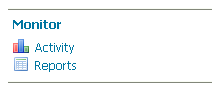
Monitoring section in the web admin interface
Start GeoServer and navigate to the current data directory. If successfully installed, a new directory named
monitoringwill be created in the data directory.