
Using the KML Reflector
Request a KML file of a layer may include a very cumbersome request:
http://localhost:8083/geoserver/ows?service=WMS&request=GetMap&version=1.1.1&format=application/vnd.google-earth.kml+XML&width=407&height=512&srs=EPSG:4326&layers=geosolutions:bbuildings&styles=polygon&bbox=-105.3405248,39.8914752,-105.1074752,40.1245248
With the KML Reflector, GeoServer provides the opportunity to request KML with requests simpler using the default values for many of the parameters of a standard WMS request:
Open your browser and enter the following ULR to download the KML using the KML Reflector:
http://localhost:8083/geoserver/wms/kml?layers=geosolutions:bbuildings
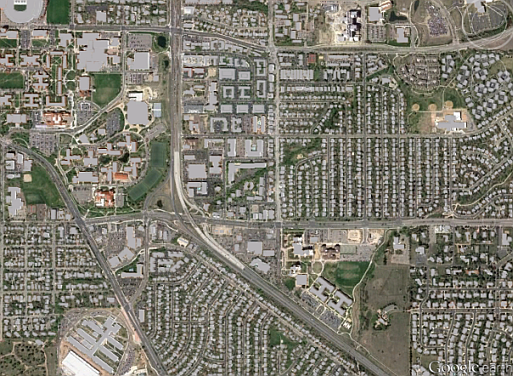
Standard KML Reflector request
Warning
You have to perform ZoomIn on the Google Earth due to the ScaleDenominator settings inside the layer default SLD.
The following table lists the default assumptions:
Key
Value
requestGetMapservicewmsversion1.1.1srsEPSG:4326formatapplcation/vnd.google-earth.kmz+xmlwidth256for vector layers,1024for raster layersheight256for vector layers,1024for raster layersbbox<layer bounds>kmattrtruekmplacemarkfalsekmscore50styles[default style for the featuretype]
Use the following URL to speficying a particular style:
http://localhost:8083/geoserver/wms/kml?layers=geosolutions:bbuildings&styles=polygon
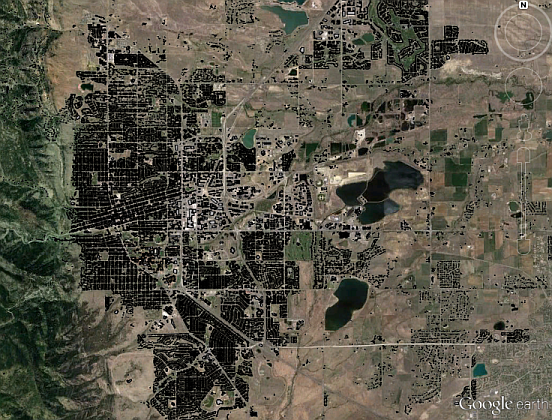
KML Reflector request with particular style
Note
The KML reflector can operate in one of three modes: refresh, superoverlay, and download. The mode is set by appending the following parameter to the URL:
mode=<mode>
where
<mode>is one of the three reflector modes. The details for each mode are as follows:Mode
Description
refresh(default for all versions except 1.7.1 through 1.7.5) Returns dynamic KML that can be refreshed/updated by the Google Earth client. Data is refreshed and new data/imagery is downloaded when zooming/panning stops. This mode can return either vector or raster (placemark or overlay) The decision to return either vector or raster data is determined by the value of
kmscore.superoverlay(default for versions 1.7.1 through 1.7.5) Returns KML as a super-overlay. A super-overlay is a form of KML in which data is broken up into regions.
downloadReturns KML which contains the entire data set. In the case of a vector layer, this will include a series of KML placemarks. With raster layers, this will include a single KML ground overlay. This is the only mode that doesn’t dynamically request new data from the server, and thus is self-contained KML.