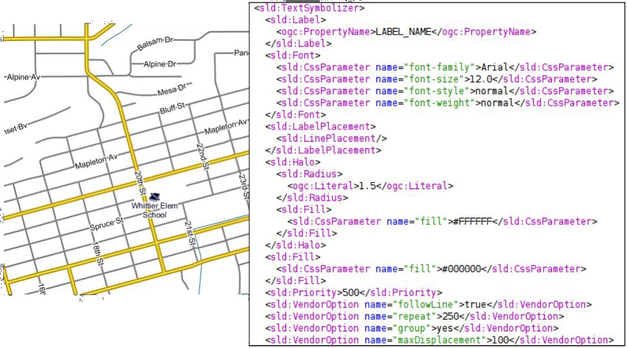
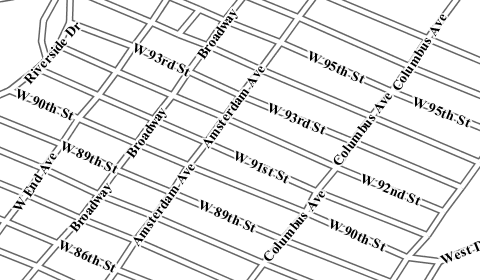
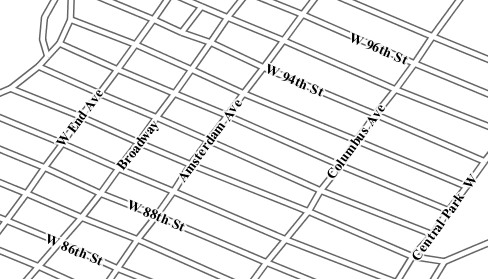
The style defines a <Font> and an <Halo> in order to render the value of the property label_name for that layer. The interesting part is at the bottom where several <VendorOption> are specified. Those options are GeoServer specific and allows us to have better and nicer result by tweaking the label renderer behaviour.
Option
Description
Type
followLine
The followLine option forces a label to follow the curve of the line.
To use this option place the following in your <TextSymbolizer>. It is required to use <LinePlacement> along with this option to ensure that all labels are correctly following the lines:
<LabelPlacement><LinePlacement/></LabelPlacement>
With CSS:
-gt-label-follow-line:true;
boolean
repeat
The repeat option determines how often GeoServer labels a line. Normally GeoServer would label each line only once, regardless of their length. Specify a positive value to make it draw the label every repeat pixels.
<VendorOptionname="repeat">100</VendorOption>
With CSS:
-gt-label-repeat:100;
number
group
Sometimes you will have a set of related features that you only want a single label for. The grouping option groups all features with the same label text, then finds a representative geometry for the group.
Roads data is an obvious example - you only want a single label for all of mainstreet, not a label for every piece of mainstreet.
When the grouping option is off (default), grouping is not performed and each geometry is labelled (space permitting).
With the grouping option on, all the geometries with the same label are grouped together and the label position is determined from ALL the geometries.
Point Set
first point inside the view rectangle is used.
Line Set
lines are (a) networked together (b) clipped to the view rectangle (c) middle of the longest network path is used.
Polygon Set
polygons are (a) clipped to the view rectangle (b) the centroid of the largest polygon is used.
<VendorOptionname="group">yes</VendorOption>
With CSS:
-gt-label-group:true;
Warning
Watch out - you could group together two sets of features by accident. For example, you could create a single group for Paris which contains features for Paris (France) and Paris (Texas).
enum{yes/no}
maxDisplacement
The maxDisplacement option controls the displacement of the label along a line. Normally GeoServer would label a line at its center point only, provided the location is not busy with another label, and not label it at all otherwise. When set, the labeller will search for another location within maxDisplacement pixels from the pre-computed label point.
When used in conjunction with repeat, the value for maxDisplacement should always be lower than the value for repeat.
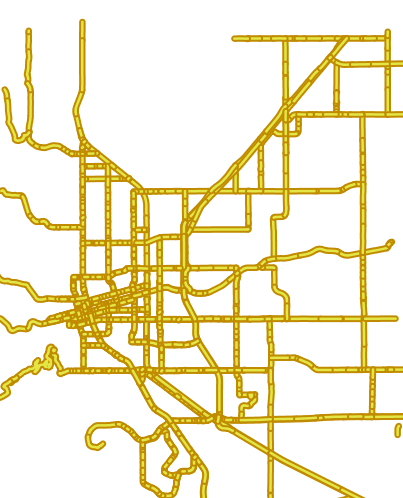
Another important thing to notice in this style is the road casing, that is, the fact each road segment is painted by two overlapping strokes of different color and size.
Placing the strokes in the two separate feature type styles is crucial:
with the symbolizers in two separate FeatureTypeStyle elements all roads are painted with the large stroke, and then again with the thin, lighter one.
if instead the two symbolizers were placed in the same FeatureTypeStyle element the result would be different, and not pleasing to see since the renderer would take the first road, paint with the large and thin strokes in
sequence, then move to the next one and repeat until the end.
Road casing with a single FeatureTypeStyle element