In order to have high performance and stable serving the list below captures what we do want from vector data:
Binary data, as usual storing data in a format which is not binary won’t help (size, poor compression, no seek, etc. etc.)
No complex parsing of data structures: The more transformations we have to do during extraction (e.g. complex-feature) the slower serving will be.
Fast extraction of a geographic subset
Fast filtering on the most commonly used attributes, this is crucial for serving huge datasets with services like WMS and WFS where filtering is used extensively
The first thing to evaluate when optimizing vector data is the native format used to store the data.
A quick and dirty classification of the formats is performed here below:
Shapefile, directory of shapefiles; not good if you have heavy filtering on non spatial attributes
SDE
Spatial databases: PostGIS, Oracle Spatial, DB2, SQL server, MySQL
SpatiaLite; although it cannot be shared safely in a clustered environment as multiple processes should not access the same SQLite file (especially on networked file systems).
Well, it’s pretty clear from the above lists that on average the way to go for storing vector data is using a spatial DBMS due to many factors but primarily its rich support for complex native filters. A quick checklist for properly configuring a spatial DBMS is presented below:
Use connection pooling properly and consider using JNDI for sharing pools.
Validate connections (with proper pooling), better doing that in background but never trust a connection coming from the pool.
Table Clustering, you can usually cluster tables on most frequently used indexes
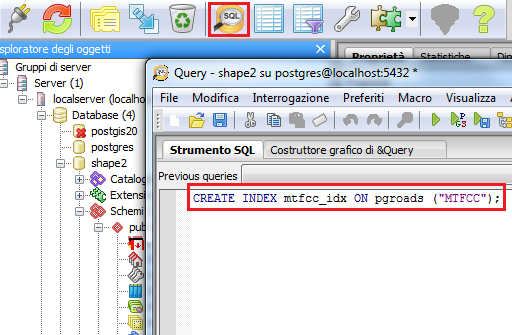
Use Spatial Indexing
Use Spatial Indexing
Use Spatial Indexing
Use Alphanumeric Indexing
Use Alphanumeric Indexing
Use Alphanumeric Indexing
Note
Did we mention that indexes are important? Most part of the time performance problems are due to missing indexes.
Using a Shapefile as data source is not a bad choice generally speaking. GeoServer has been optimized for serving large shapefile (GB size) with good speed (especially on Linux). The main limitation to take into account is that currently Shapefile (the Directory of Shapefiles DataStore in turn) do not offer alphanumeric indexing capabilities therefore if you have a schema to serve with many attributes and you want to be able to filter them finely for rendering or styling (i.e. being able to quickly extract small subset of rows depending purely on the non spatial attributes) then you need to move onto using a spatial DBMS. If you are stuck with shapefiles and have scale dependent rules like the following:
Show highways first
Show all streets when zoomed in
In order to avoid forcing GeoServer to load everything in memory to filter on alphanumeric attributes you can do the following:
Use ogr2ogr to build two shapefiles, one with just the highways, one with everything, and build two layers, e.g.:
ogr2ogr-sql"SELECT * FROM tl_2010_08013_roads WHERE MTFCC in ('S1100', 'S1200')"primaryRoads.shptl_2010_08013_roads.shp
Or hire us to develop non-spatial indexing for shapefile!
PostgreSQL is out of the box configured for very small hardware as indicated here, therefore you might want to investigate on tweaking such configuration to get more speed out of your hardware, especially if you have a lot of memory available.
Here below you can find a list of other useful hints:
Make sure to run ANALYZE after data imports (updates optimizer stats)
As usual, avoid large joins in SQL views, consider materialized views
If the dataset is massive, CLUSTER on the spatial index as explained here
Careful with prepared statements (bad performances)
About usage of prepared statements, which may seem counterintuitive, here below a longer explanation.
USE CASE: The layer’s style allows to display the whole layer in a single shot (no scale dependencies) -> prepared statements will slow down execution
EXPLANATION: PostGIS will choose to use the spatial index in all cases, this makes retrieving the full data set 2-4 times slower than when using a sequential scan
COUNTERMEASURE: Not using prepared statement allows PostGIS to figure out a suitable plan based on the request BBOX instead (assuming someone run “vacuum analyze” on the database to update the index statistics, and of course, provided there is a spatial index to start with)
As indicated above connection pools are a fundamental element in properly exploiting spatial DBMS from GeoServer.
Here below you can find some advices on how to best configure them:
Connection pool size should be proportional to the number of concurrent requests you want to serve (obvious, right?)
Activate connection validation, preferably in background although doing it in foreground is ok
Mind networking tools that might cut connections sitting idle (yes, your server is not always busy), they might cut the connection in “bad” ways (10 minutes timeout before the pool realizes the TCP connection attempt gives up)
The following section compares vector data preparation using Shapefile and PostGIS. For this example a Shapefile containing primary or secondary roads is used.
The purpose is to test the throughput between the shapefile and an optimized database containing the same data. The result will demonstrate that database optimization can provide a better
throughput than the one of the shapefile
On your Web browser, navigate to the GeoServer Welcome Page.
Following the instructions on Adding a Postgis layer, configure the database shape2 in GeoServer, publish the pgroads table and call it pgroads
Note
Note that the database Coordinate Reference System is EPSG:4269
Configure the shapefile tl_2014_01_prisecroads used before in GeoServer following the instructions in Adding a Shapefile, publish a layer and call it allroads
Go to $TRAINING_ROOT/data/jmeter_data ( %TRAINING_ROOT%\data\jmeter_data on Windows ) and copy the file template.jmx file creating a vector.jmx file.
From the training root, on the command line, run jmeter.bat (or jmeter.sh if you’re on Linux) to start JMeter
On the top left go to File –> Open and search for the new jmx file copied
In all the CSVDataSetConfig elements, modify the path of the CSV file by setting the path for the file shp2pg.csv in the $TRAINING_ROOT/data/jmeter_data ( %TRAINING_ROOT%\data\jmeter_data on Windows ) directory
In the HTTP Request Default element modify the following parameters:
In the HTTP Request Default element modify the following parameter:
Name
Value
layers
geosolutions:pgroads
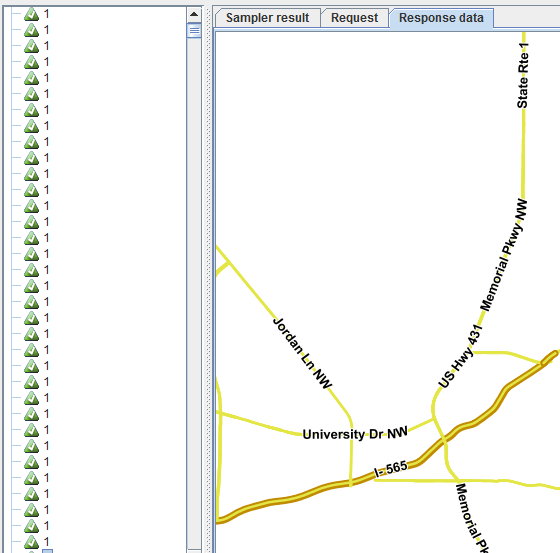
Run the test again. It should be noted that database throughput should be increased to those of the shapefile, because the created index provides a faster access on the database, improving GeoServer performances.